Vicious Audio

INDEPENDENT AUDIO PLUGINS

Make beautiful
noise. For free.

Shape the detail. Destroy the signal. Find your tone.
Three free plugins from Vicious Audio.

Find your next sound
Live interface previews · silent

TRANSIENT / TONAL EQ v0.3.4

Vivisect.

Get inside your sound. Separate the attack from the sustain, then give each its own shape.

Eight bands with independent transient and tonal gains, dynamics, and panning. Apply individual bands to Mid or Side to shape the center and stereo edges separately. Spectral EQ targets resonances as they emerge, with separate transient and tonal processing.

Hear the difference.

Mix100% wet

Blend dry and processed audio. Drag the knob or use arrow keys.

0:00 / 0:26

Windows 10+ · macOS 11+ · AU / VST3 · Free download
Recorded plugin interfaceView full interface

TEXTURE / DEGRADATION v0.1.4

Dead Signal.

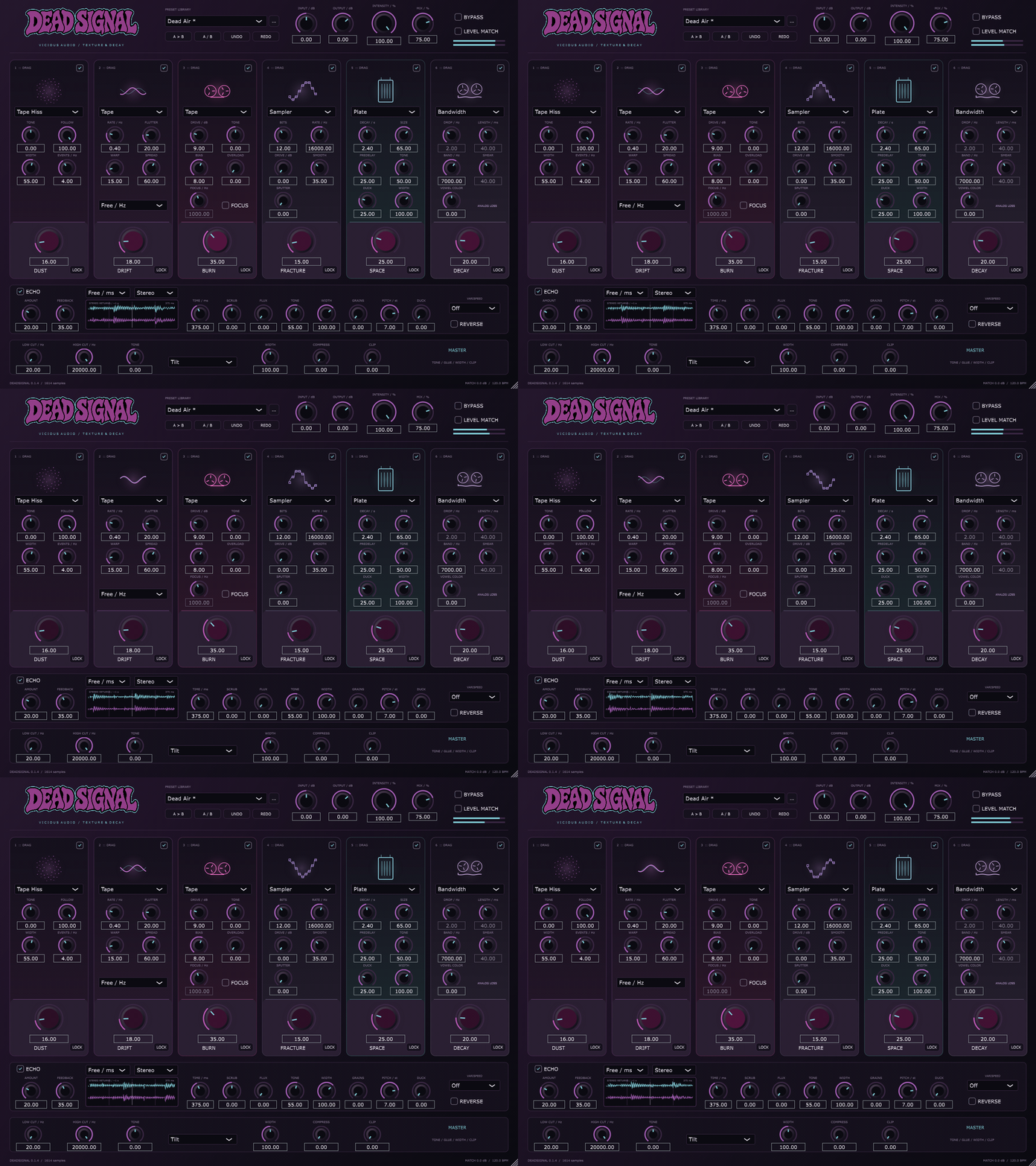
A little damaged. A lot of character. Turn a clean source into something worn, unstable, and alive.

Reorder six texture modules. Explore noise, pitch drift, saturation, digital destruction, ambience, and echoes that evolve with every repeat.

Hear the difference.

Mix100% wet

Blend dry and processed audio. Drag the knob or use arrow keys.

0:00 / 0:26

Windows 10+ · macOS 11+ · AU / VST3 · Free download
Dead Signal full interface with animated modules, level meters, and the live Echo display
View full interface ↗

HIGH GAIN AMPLIFIER SUITE v0.5.9

Hatebringer.

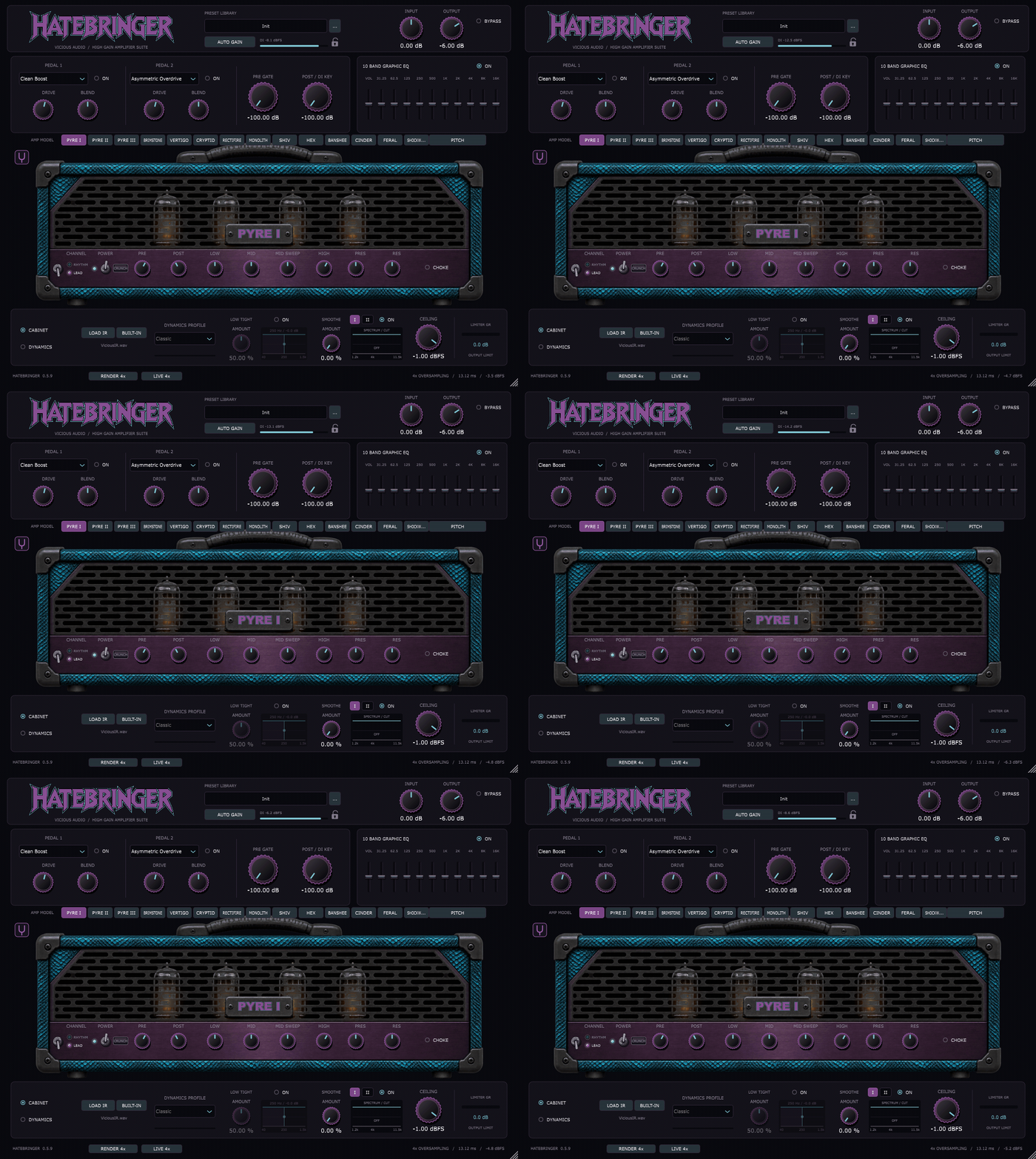
For the riff that needs teeth. High-gain amp models built around the analog circuits of popular amplifier heads.

Explore modeled tube gain stages, tone stacks, and power-amp response, then shape the cabinet or load your own impulse response. From the first pick attack to the final chug.

Hear Hatebringer.

MixFull mix

Blend between the guitar mix and full mix. Drag the knob or use arrow keys.

0:00 / 0:55

Windows 10+ · macOS 11+ · AU / VST3 · Free download

Hatebringer full interface with amp controls, knobs, and audio-reactive glowing tubes
View full interface ↗

FROM DOWNLOAD TO DAW

Plug in.
Make something.

Installing on Windows

Close your DAW and run the downloaded installer. Reopen your DAW and scan for VST3 plugins. Look for Vicious Audio in your plugin list.

Installing on Mac

Download and open the Mac installer, then follow the installation steps. Universal builds support Apple Silicon and Intel on macOS 11 or later.

Close and reopen your DAW to scan the new AU and VST3 plugins. Hatebringer retains the Pyre bundle identity for compatibility.

Support & community

Join the Vicious Audio Discord for plugin support, sharing your sounds and presets, and connecting with the community.

For email support, contact viciousaudio@outlook.com with the plugin name, version, operating system, and DAW.